KerfLab
CNC Panel Cutting
I'm a hobbyist woodworker with a CNC.
I just wanted to build a cabinet.
Fusion 360 gives me ten times more options than I'll ever need — and ten times more steps. What I really wanted was simple: cut cabinets from pre-banded sheet goods so I'd never have to iron on edge tape again. I couldn't find software that understood that. So I built it.
No account required
Three problems. Three solutions I had to figure out myself.
If I had to figure all this out myself, there are probably others spending the same frustrated hours. I built KerfLab to give them back that time.
Pre-banded sheet goods
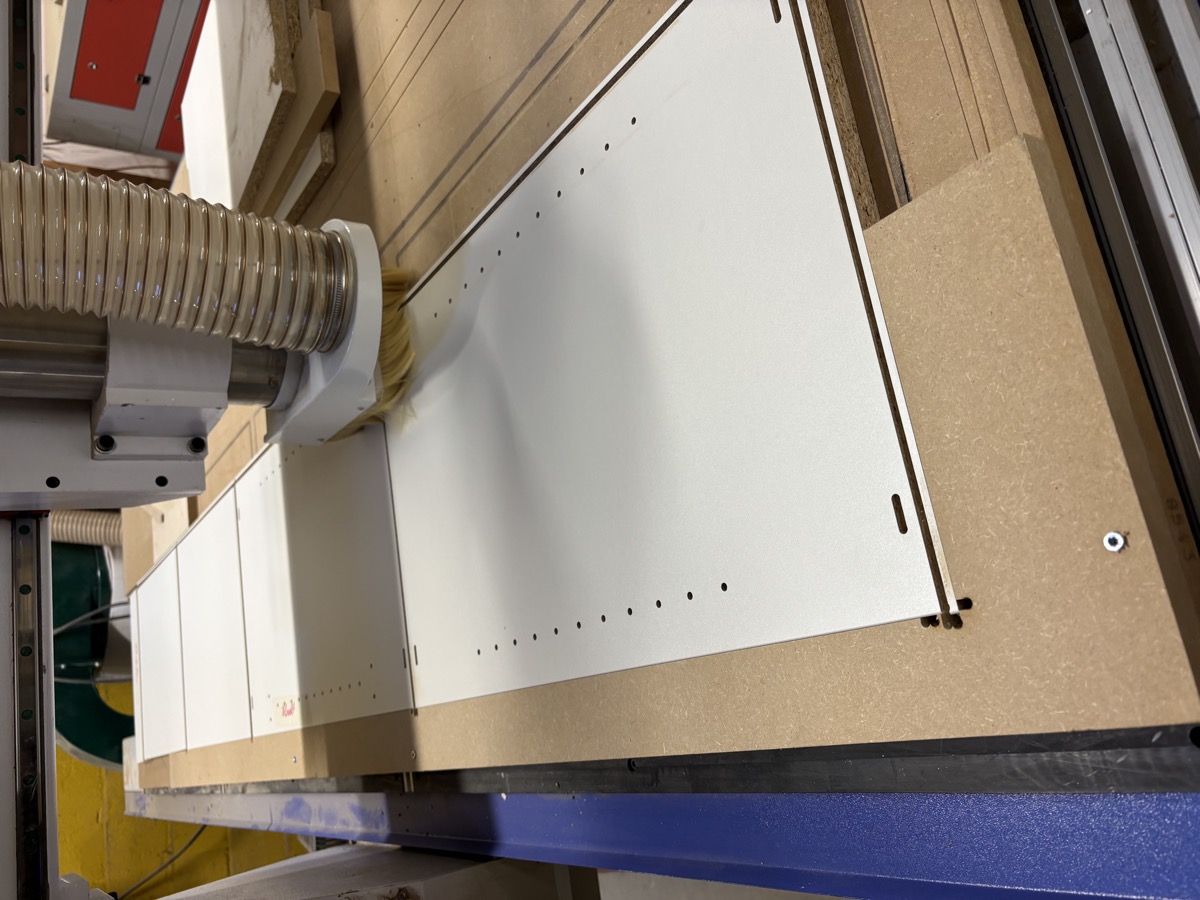
Cabinet panels only need one finished edge — the front face. Hardware stores sell sheet goods with factory edgebanding already on one long edge. The catch: every panel needs to align with that pre-banded edge.
Repeatable sheet placement
With pre-banded sheets, you're not doing a profile cut afterwards — so placement has to be exact. Professional shops use pneumatic pop-up pins that cost thousands.
Single-cutter workflow
Industrial machines swap cutters automatically. Hobbyist machines don't. Every tool change means re-zeroing — and that's where precision goes to die.
Software that understands your workflow
Stop gambling with expensive sheet goods
Every time you place a sheet manually, you're eyeballing it. One slightly off sheet means misaligned drill patterns, wasted material, and a ruined workpiece.
KerfLab calculates optimal pin positions for your specific CNC bed. You drill those holes once into your spoilboard — a five-minute job. From that moment on, every sheet goes in the same place, every time, with zero measuring.
- Generates the G-code to drill your spoilboard pin pattern
- Works with any sheet size
- Every subsequent sheet: drop it on the pins and run
Skip the iron-on tape forever
Manual edgebanding is slow, messy, and rarely looks as good as factory-applied tape. But most cabinet panels only need one finished edge — the front face. You can buy sheet goods with factory edgebanding already applied.
No other software knows how to work with this. KerfLab does. Mark which edge of your sheet is pre-banded, and every panel orients itself so the visible edge aligns with the finished one.
- Mark your pre-banded edge once
- Panels auto-orient across the entire nest
- Zero manual banding, zero trimming, zero finishing
One bit. One zero. One complete job.
Every tool change is a chance for things to go wrong. Re-zeroing after a bit swap introduces error. Stopping a job mid-cut breaks your rhythm and your confidence.
KerfLab is built around the idea that a single quality compression cutter should handle everything — panel cuts, pocket drilling, hinge cup boring — so you never have to touch the collet until the job is done.
- Full panel cutting with a single compression cutter
- Hinge cups via helical ramping — no specialist bit required
- Shelf pin holes and System 32 patterns in the same pass
From idea to parts, fast
From cabinet dimensions to nested panels, G-code ready to run. The software does the thinking.
Drop the sheet on the pins, press go. One cutter handles every operation. Walk away with parts ready to assemble.
"If I had to figure all this out myself, there are probably others spending the same frustrated hours. I built KerfLab to give them back that time."
Professional cabinet results from the machine in your garage.
Try KerfLab free. No account required. Design a cabinet, nest your panels, generate G-code — and see what it feels like when the software actually understands your workflow.
CNC Panel Cutting Made Simple
© 2026 KerfLab. All rights reserved.